How RazorBooking Booking Pages Work: Complete Step-by-Step Guide
Walk through exactly what happens when a customer books through RazorBooking—from landing on your page to receiving confirmation. See why this streamlined flow converts browsers into booked appointments.
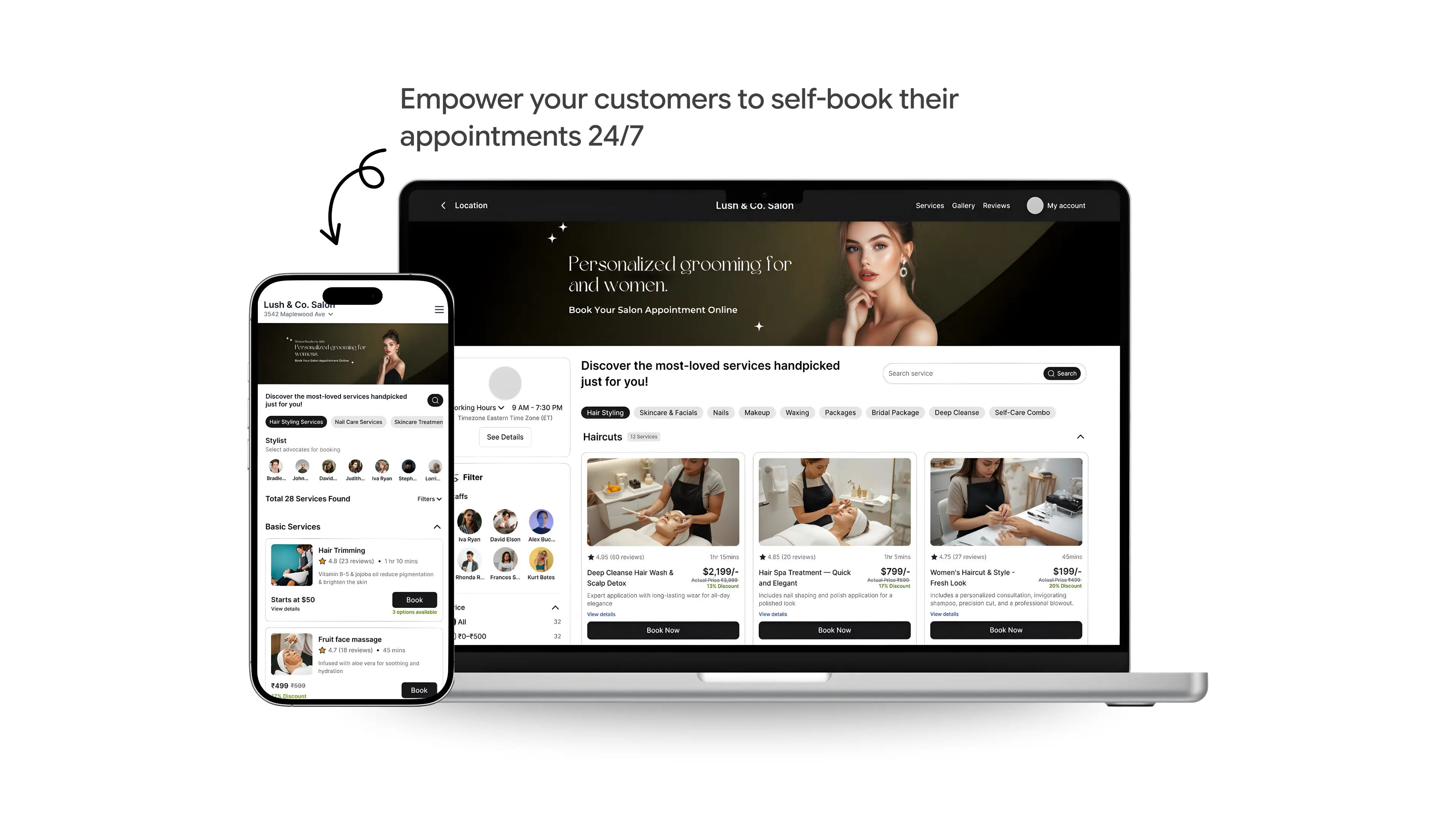
A customer finds your booking page at 10 PM. They're ready to book. What happens next?
With RazorBooking, they complete their booking in under two minutes without confusion, phone calls, or waiting for business hours.
Here's the complete customer journey through a RazorBooking booking page—and why each step matters.
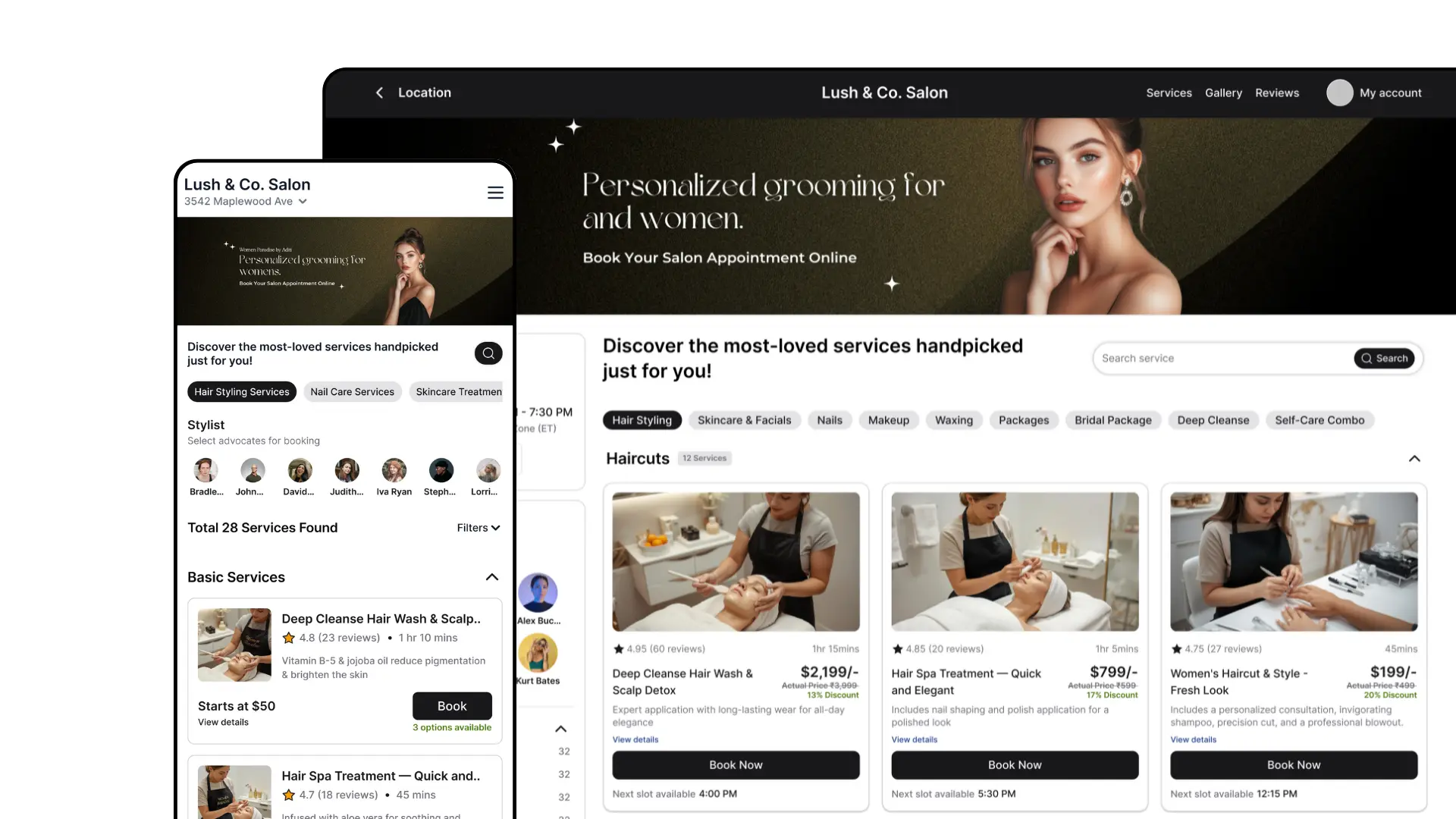
Step 1: Landing on Your Booking Page
When a customer visits your RazorBooking page, they immediately see:
The booking journey begins with service selection.
RazorBooking booking pages present services clearly so customers understand what they are booking before moving forward. Each service represents a defined offering with its own duration and purpose.
This step ensures:
Customers choose the correct service
Expectations are set early
Businesses avoid mismatched bookings
Clarity at this stage prevents issues later in the flow.
The page loads quickly on any device. Everything is organized logically. No clutter. No confusion about what you offer or what it costs.
Why this matters: Customers decide in seconds whether to proceed. Clear presentation builds immediate confidence.
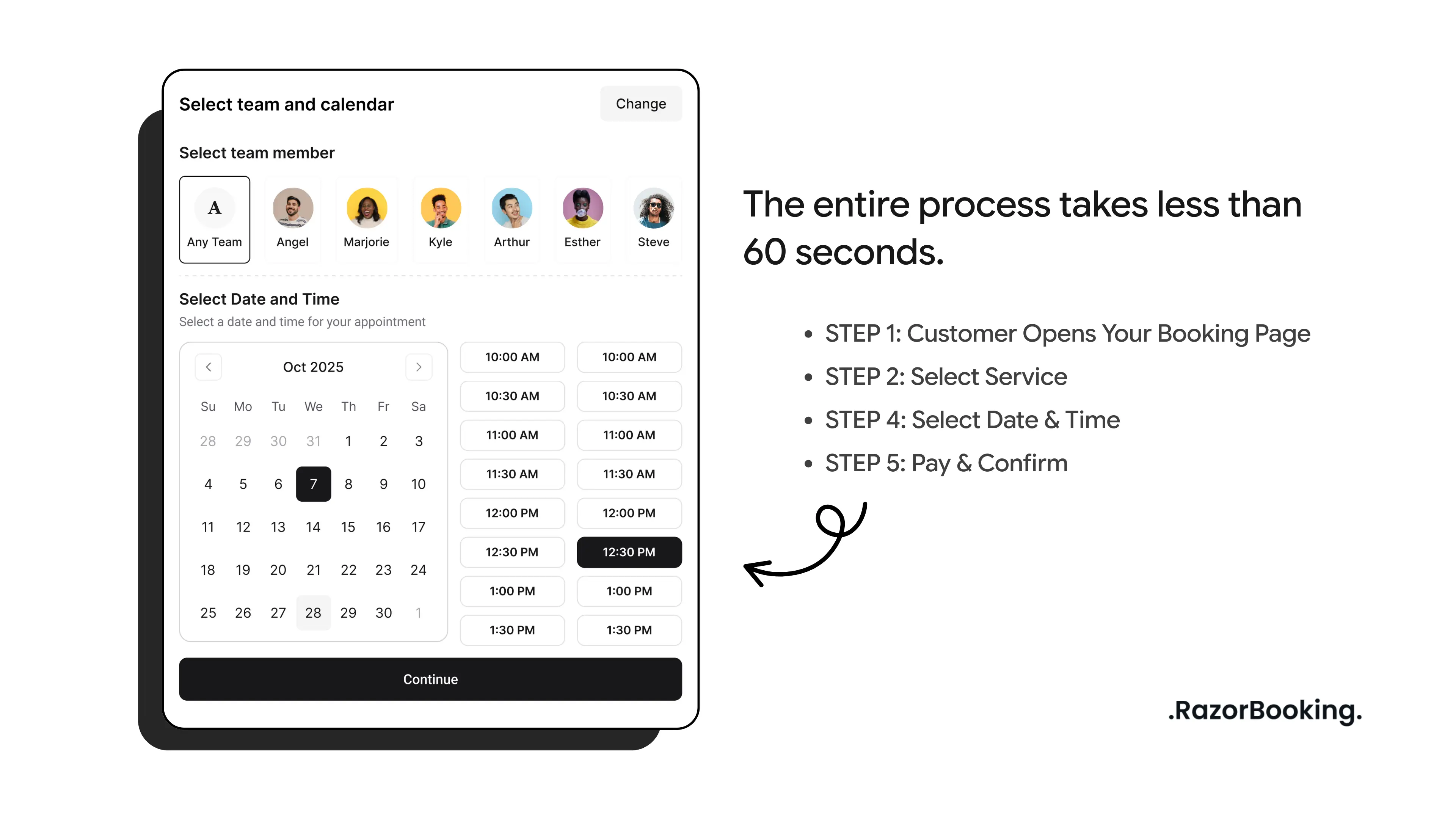
Step 2: Real-Time Availability
After selecting a service, customers see available dates and time slots.
RazorBooking only shows real availability based on configured schedules. Customers are not asked to wait for confirmation or follow up later.
This creates trust because:
The slot shown is actually available
The booking is reserved immediately
There is no uncertainty after selection
Availability is transparent and reliable.
If you have multiple team members: Customers can select their preferred team member or choose "First Available" for the soonest appointment.
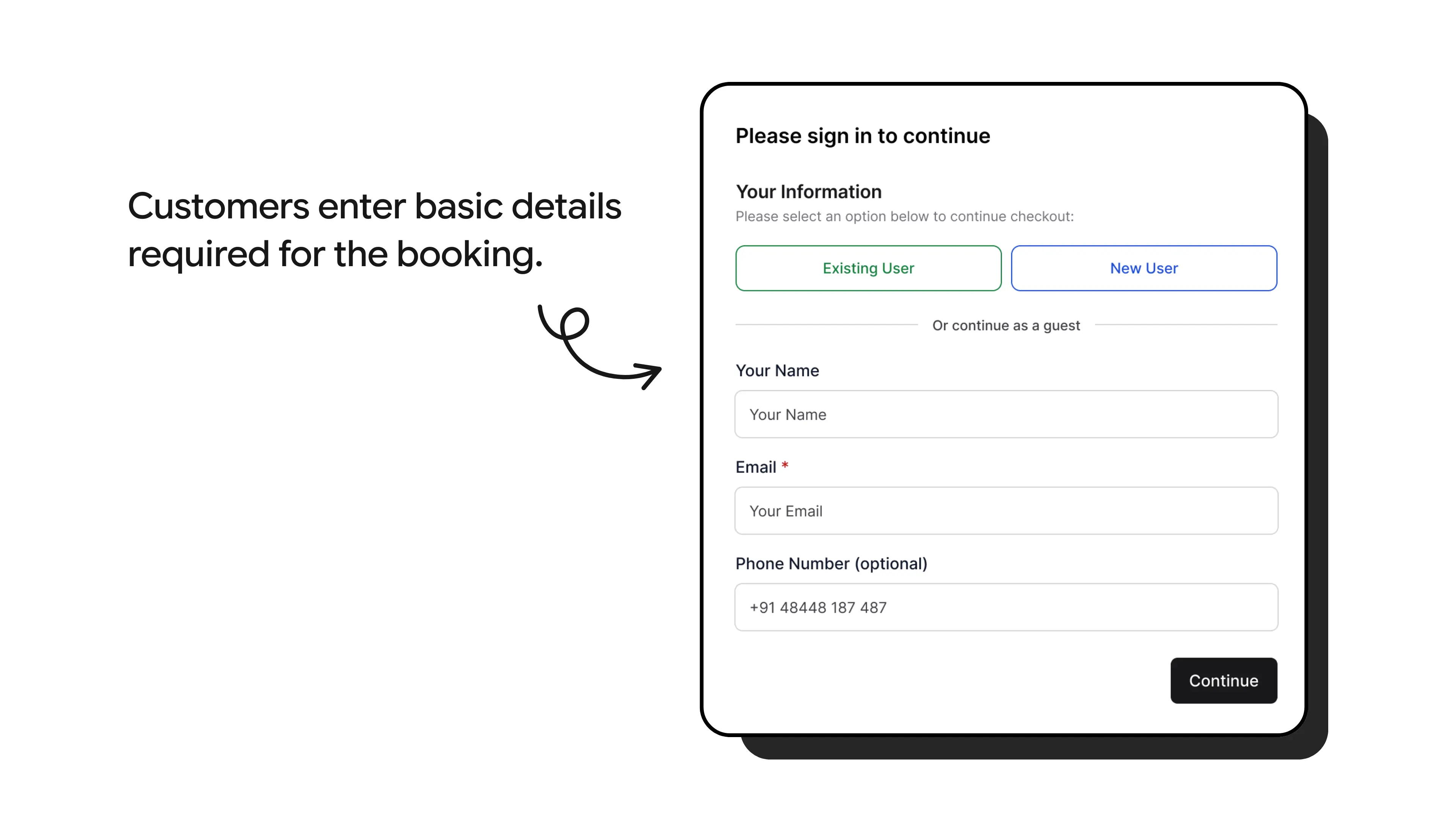
Step 3: Customer Details
Next, customers enter basic details required for the booking.
The form is intentionally minimal. Only essential information is collected to keep the booking process fast and focused.
This balance allows:
Customers to complete bookings quickly
Businesses to receive the information they need
Fewer abandoned bookings due to long forms
That's it. No lengthy forms. No mandatory account creation. No irrelevant questions.
For returning customers: RazorBooking recognizes them and pre-fills their information. One tap and they're done.
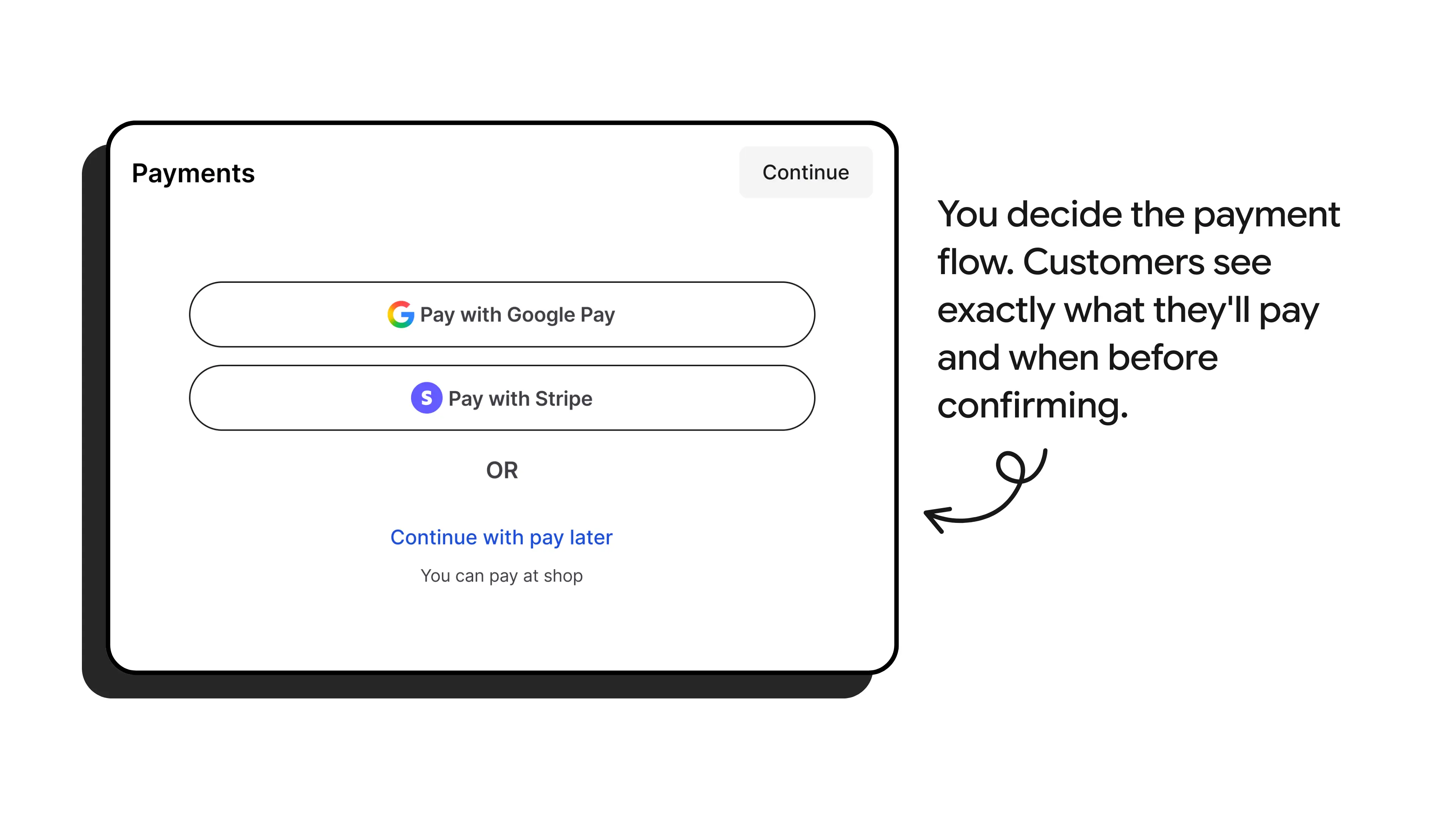
Payment preferences (you control this):
You decide the payment flow:
Full payment required before booking
Deposit now, remainder later
Pay at appointment
Free booking (no payment required)
Customers see exactly what they'll pay and when before confirming.
Step 4: Instant Booking Confirmation
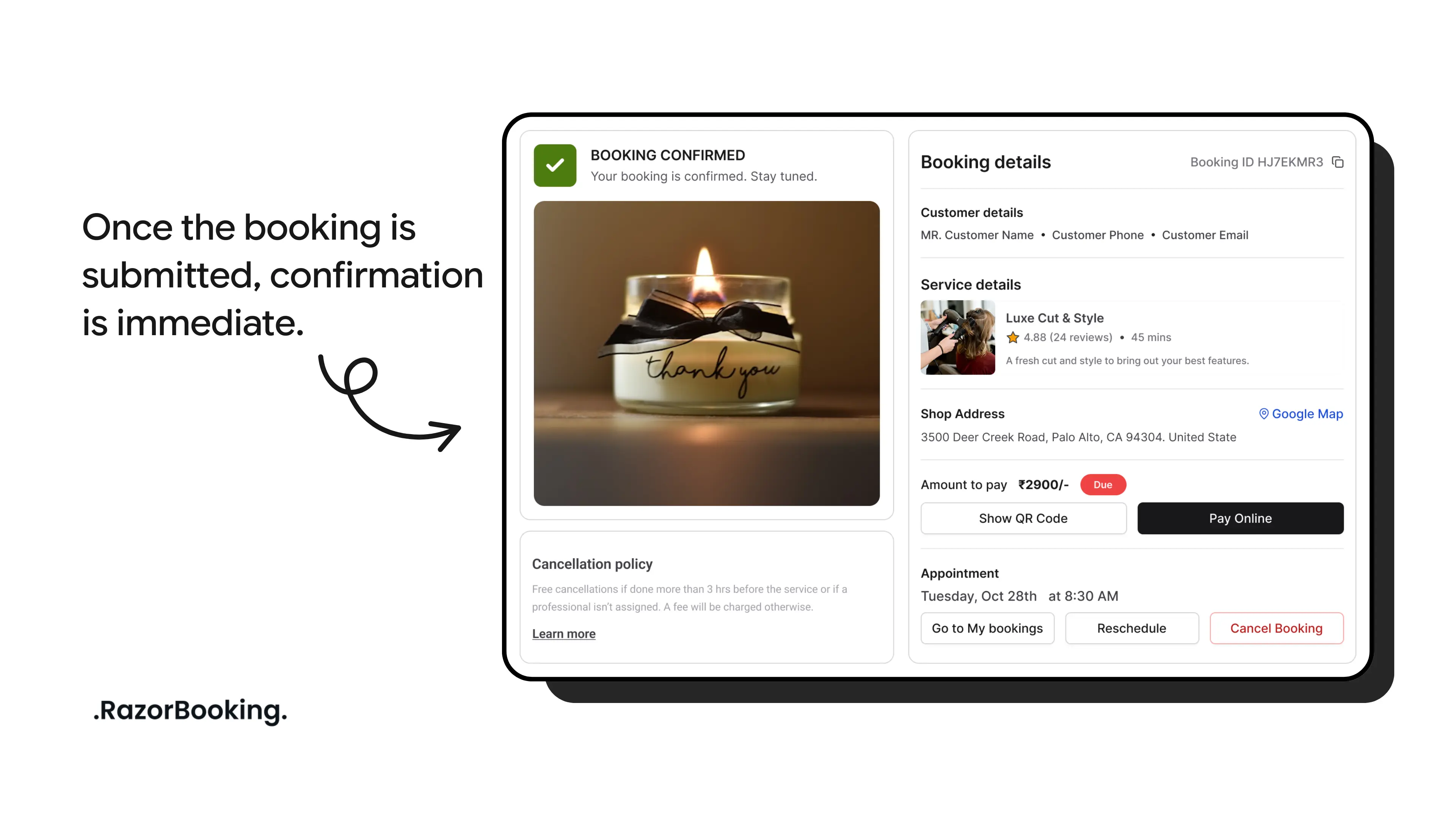
Once the booking is submitted, confirmation is immediate.
Customers clearly see:
The selected service
The confirmed date and time
What happens next
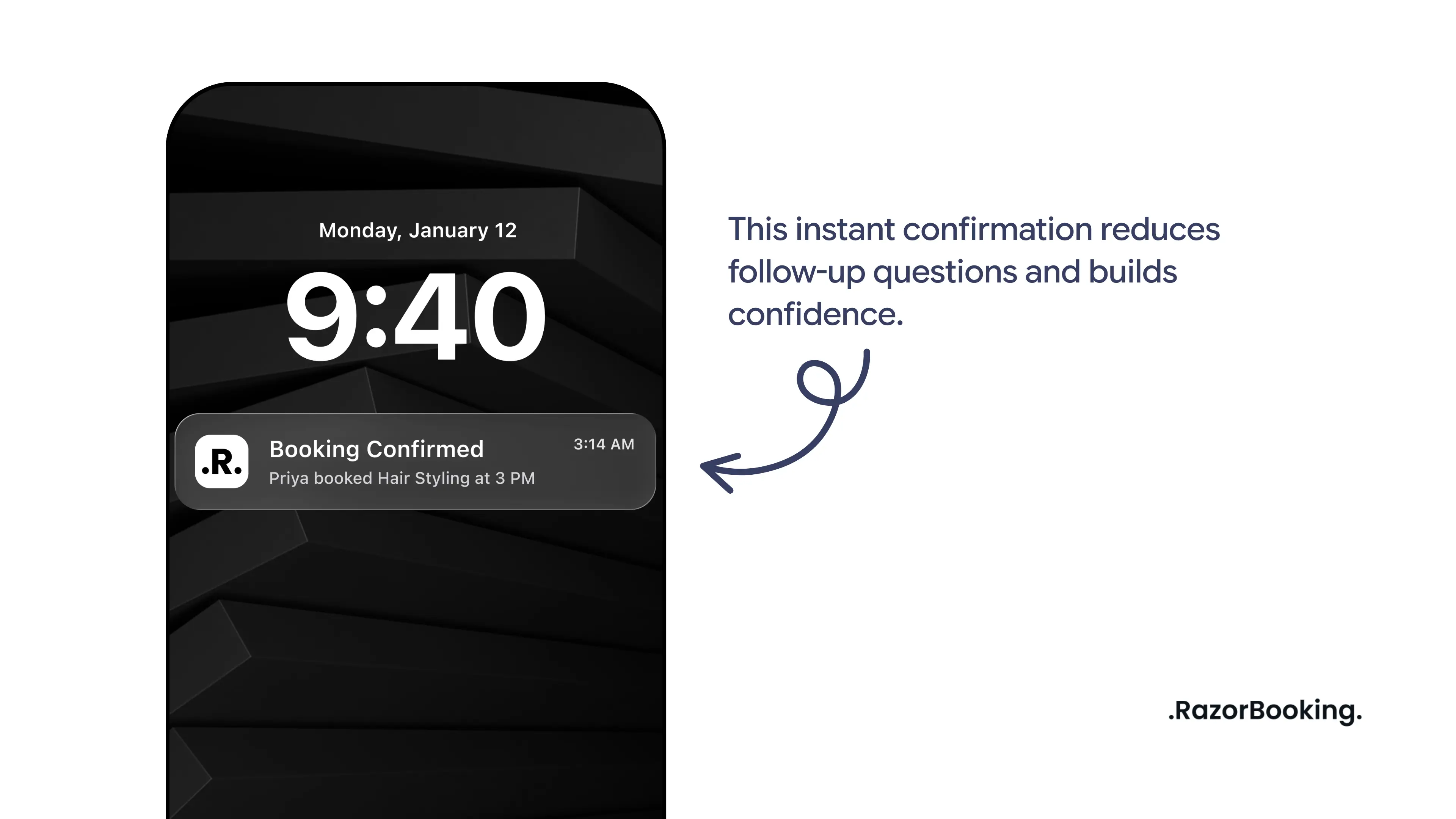
There is no ambiguity about whether the booking was successful. This instant confirmation reduces follow-up questions and builds confidence.
Step 5: Automated Notifications and Reminders
After confirmation, RazorBooking automatically handles notifications and reminders.
This ensures:
Customers stay informed
Appointments are remembered
Businesses do not need to send manual follow-ups
Automation keeps communication consistent without adding operational overhead.
Why This Booking Flow Works
The effectiveness of RazorBooking booking pages comes from predictability.
Each step follows a clear sequence that customers expect. Nothing feels hidden or unclear. The process feels controlled, simple, and trustworthy.
For customers, this results in confidence.
For businesses, it results in fewer errors, fewer interruptions, and smoother operations.
Common Questions
Can I see bookings before they're confirmed?
You control this. Enable manual approval if you want to review bookings first. Or allow instant booking for faster conversion.
What if I need to cancel or reschedule?
Use your admin dashboard to modify any booking. Customers receive automatic notifications of changes.
Can customers reschedule themselves?
Yes, if you enable this feature. They use a link in their confirmation to reschedule without contacting you.
Does it work for classes or group sessions?
Yes. RazorBooking supports both individual appointments and class bookings with participant limits.
What about recurring appointments?
Customers can book multiple appointments at once. You can also set up recurring availability patterns.
A booking page is more than a form. It is a critical part of how a service business operates online.
By keeping the booking flow clear and structured, RazorBooking helps businesses accept bookings consistently while giving customers a frictionless experience. This approach allows service businesses to focus less on coordination and more on delivery.
No confusion. No complications. Just a clear path from interested to booked.
The result: More completed bookings, less coordination time, better customer experience.
Ready to Set Up Your Booking Page?
Start your RazorBooking free trial. Create your booking page in 30 minutes. No credit card required.
👉 Start Your Free Trial | 📞 Book a Demo: Book Now